

From sheet to closed quote.
Six steps. Not a spreadsheet in sight.
Start free trial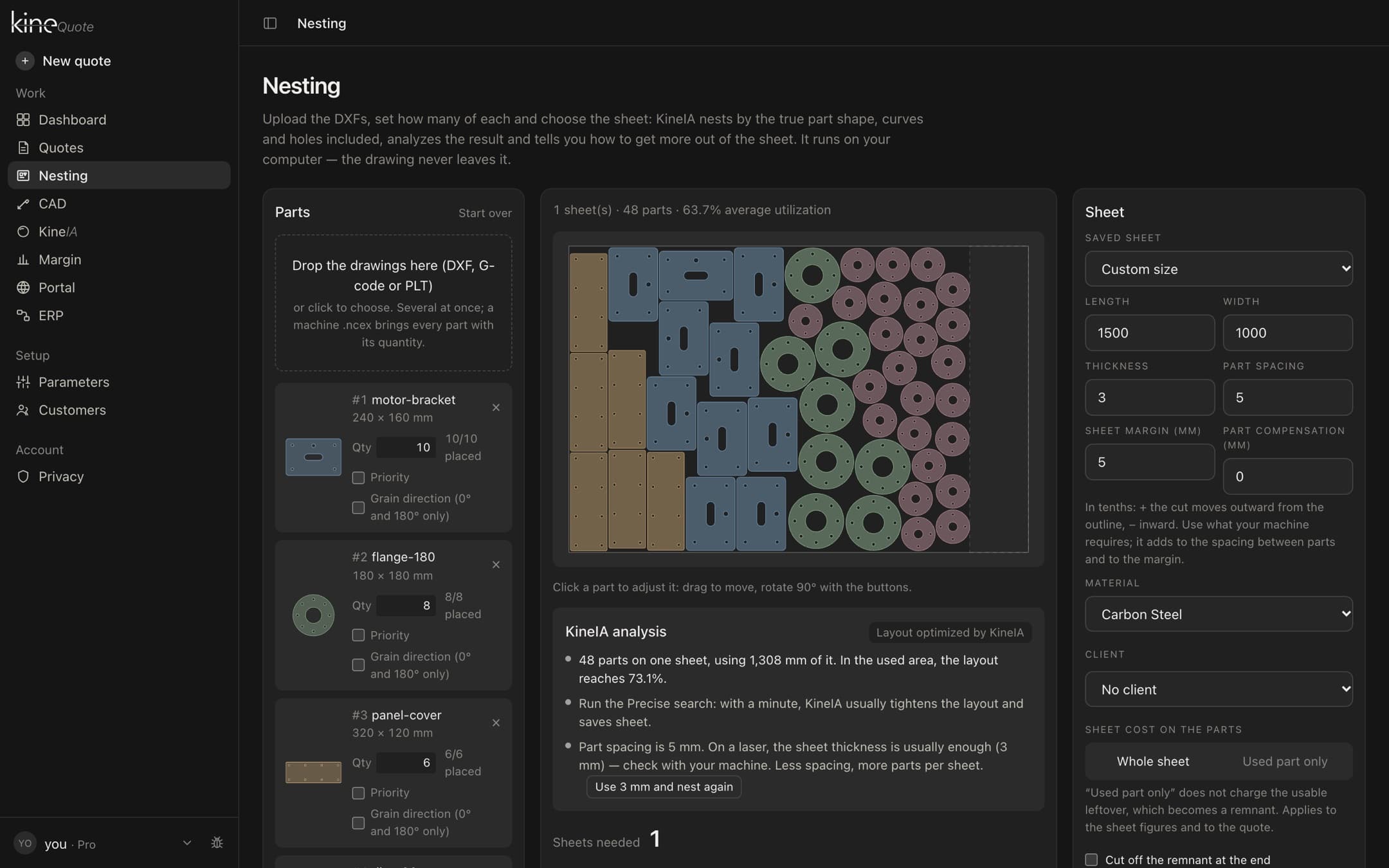
Import the DXF
The file goes in at once, with AI fixing a flawed contour before the maths.
- Real shape — Nests by the true outline, curves and holes included: a small part fits inside a big part's hole.
- KineIA analysis — Points out a weak last sheet, when the precise search is worth it and when the part spacing is larger than needed.
- Cost per part — Weight and cost of each sheet, split among the parts — and the quote comes out in one click, with cutting and sheet in each part's price.
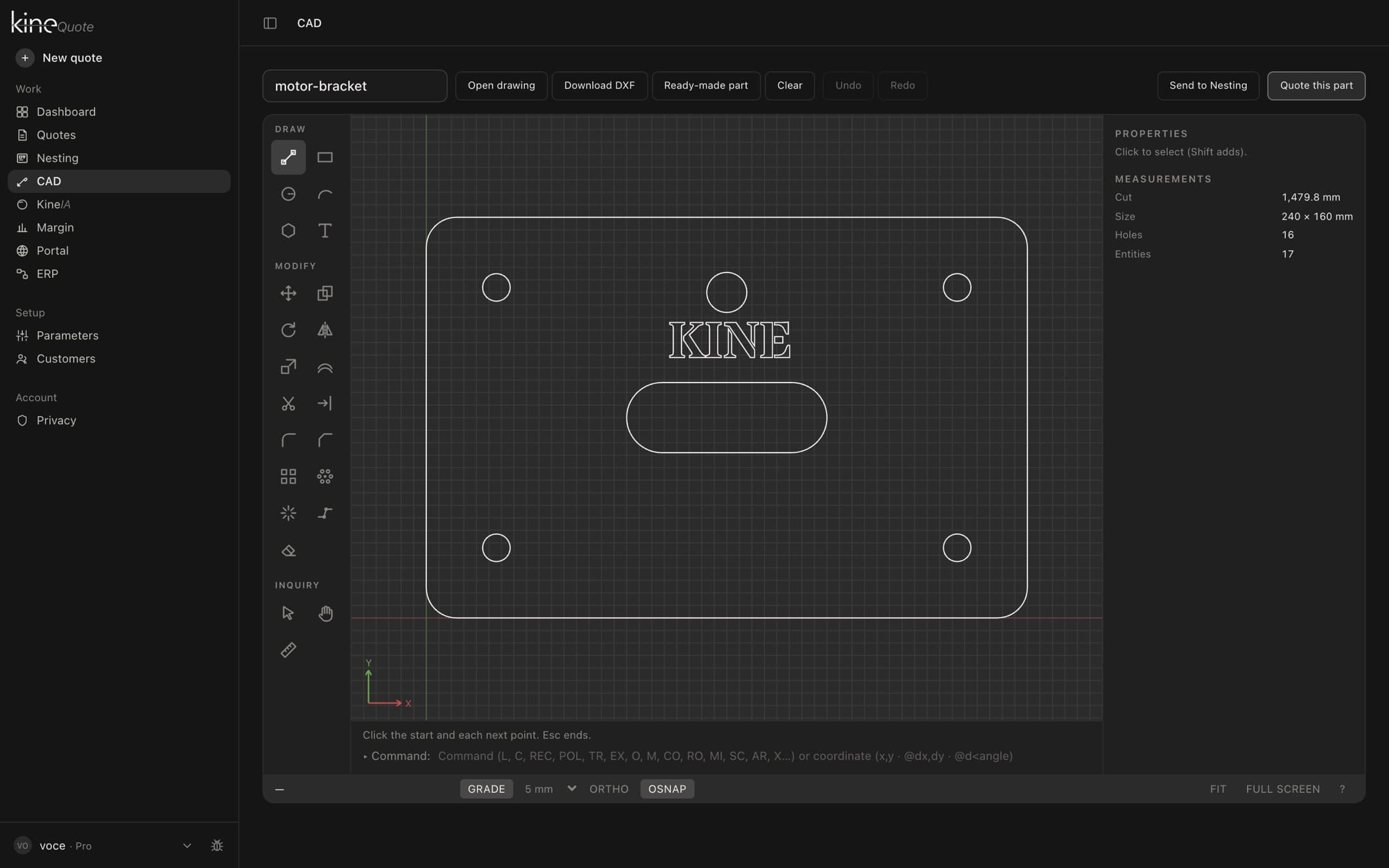
Check the drawing
Perimeter, holes and contours read automatically — review before you quote.
- Only what gets cut — Text, dimensions and hatching stay out of the calculation.
- Units checked — If the file does not declare its unit, Kine Quote warns you before you trust the number.
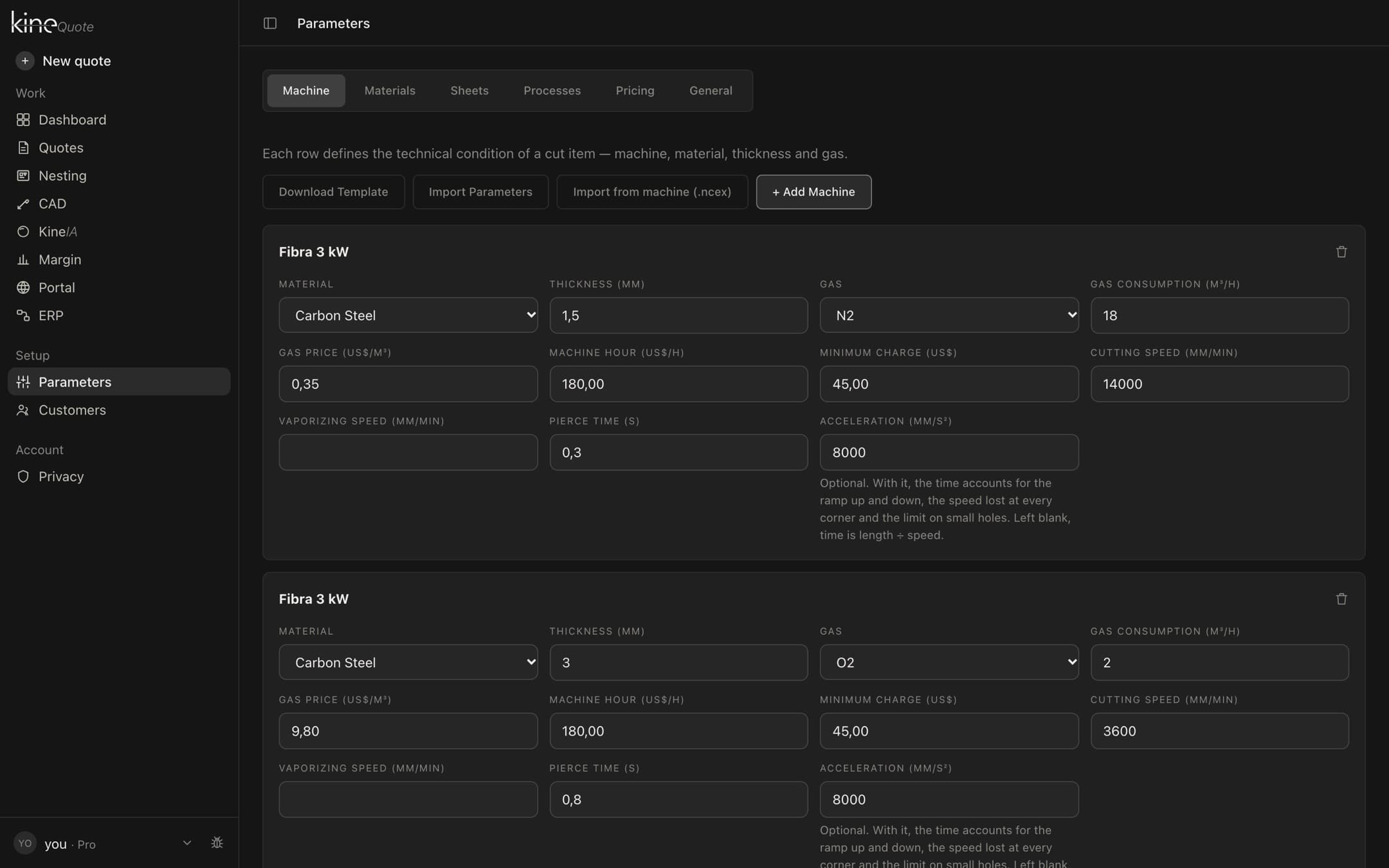
Pick material and process
Thickness, gas, bending or forming: everything runs through your saved parameters.
- Your machine parameters — Speed, pierce time, machine hour and gas come from what you set up, per material, thickness and gas.
- Price locked in — Changing a parameter later does not touch saved quotes: each one keeps the values of its day.
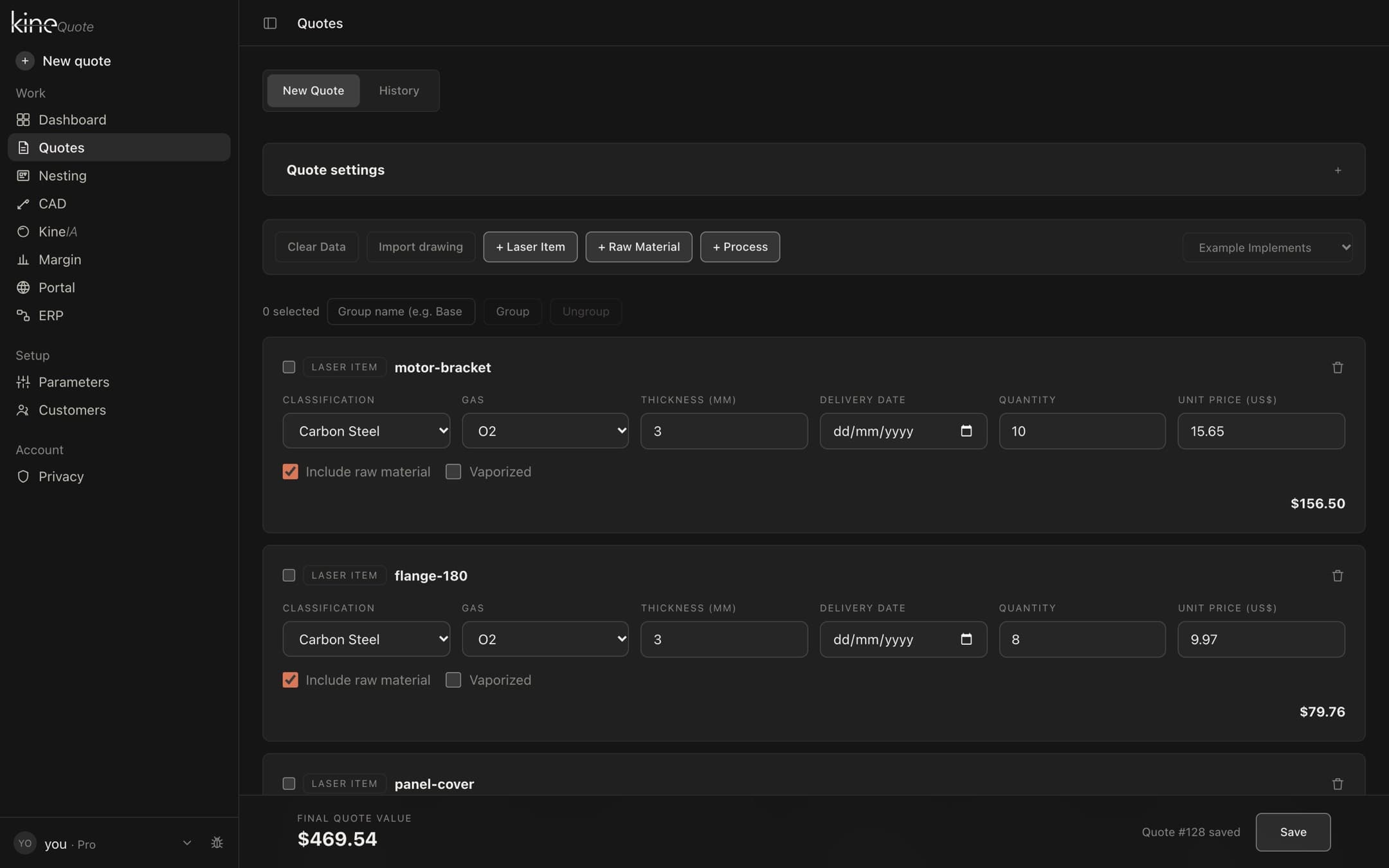
See the calculated price
Machine hour, raw material, setup, taxes and margin, already added up.
- Approved only — Drafts and lost quotes stay out: an unclosed proposal is an intention.
- Cost at issue — The cost is what the quote itself recorded, not today’s.
- Negative in orange — When the price ended up below cost, the row tells you.
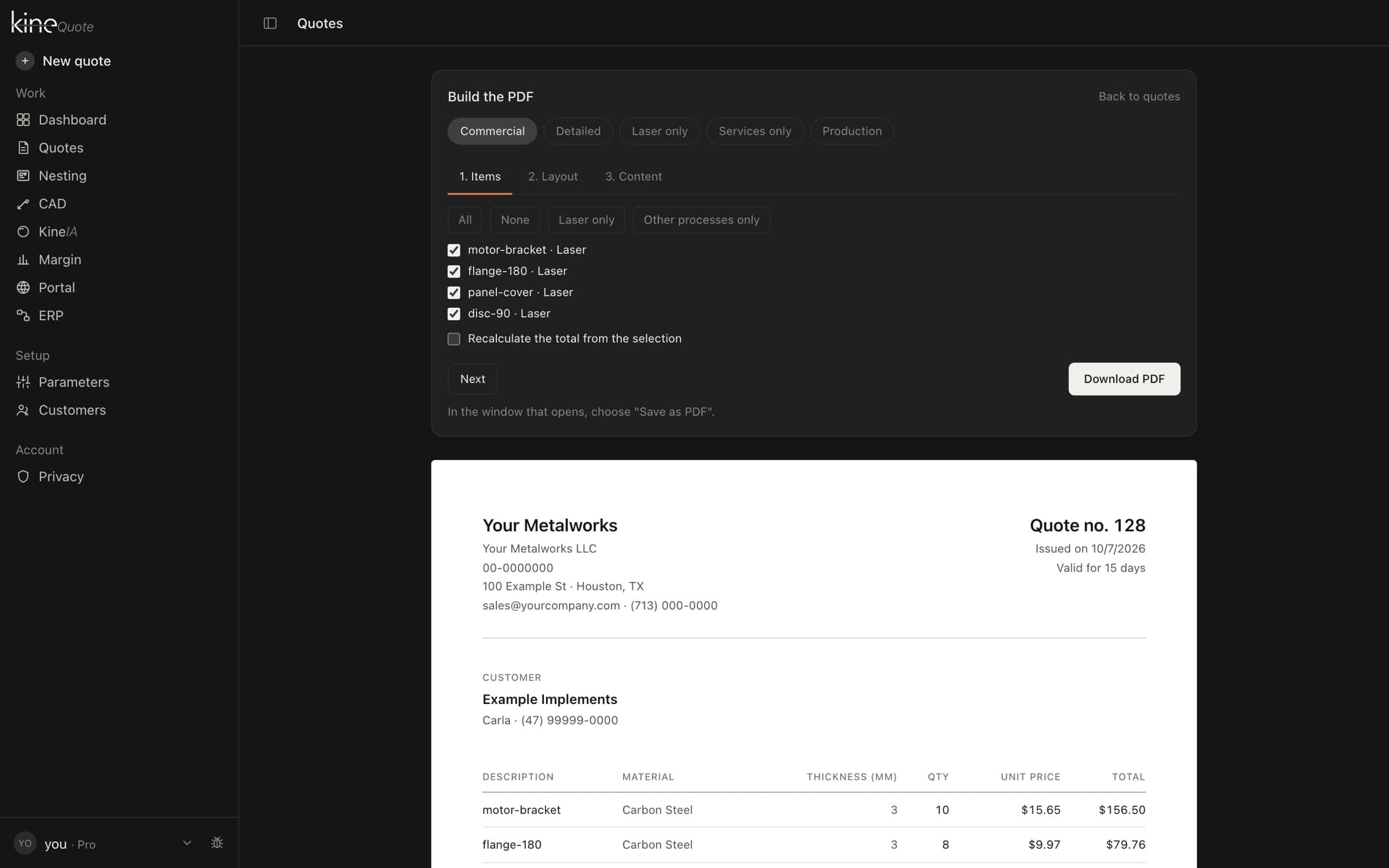
Generate the branded PDF
The quote, finished, with the technical detail and the commercial terms.
- Your logo and details — The proposal goes out with your identity, not ours.
- Drawing with dimensions — The DXF appears on the sheet, with the part dimensions.
- Price breakdown — The customer understands where the number comes from.
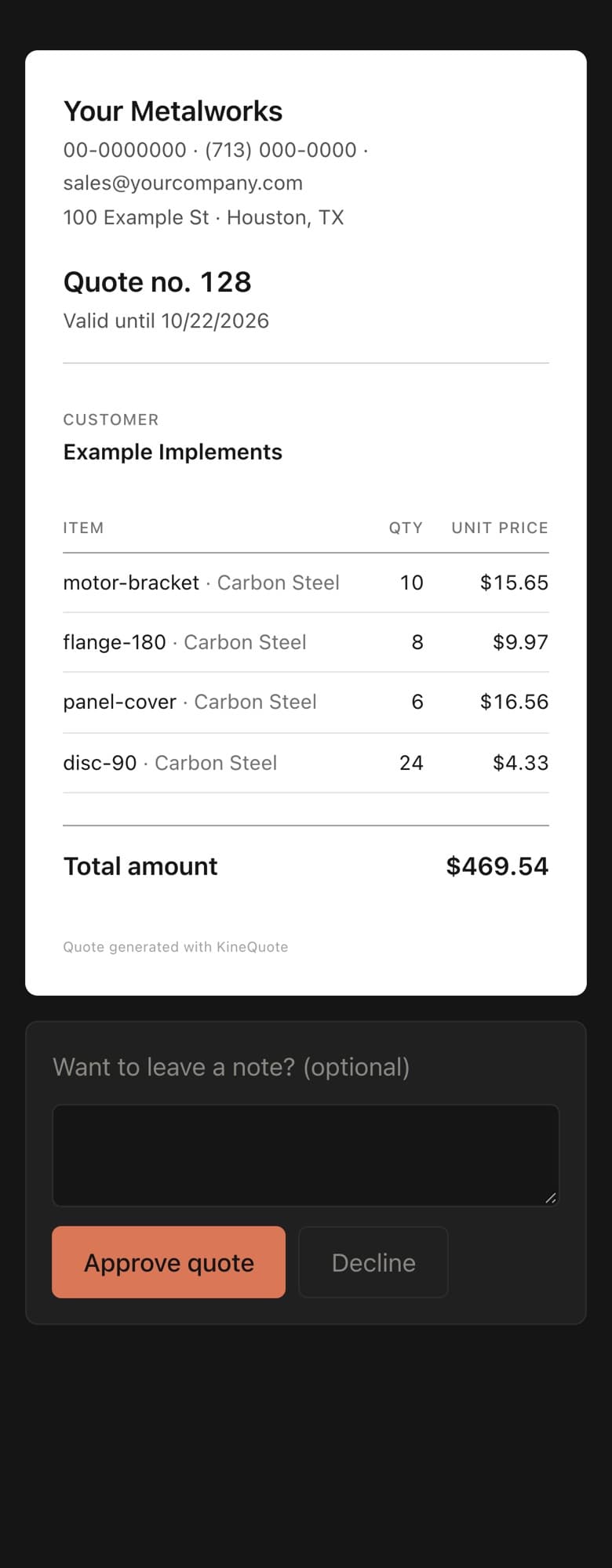
Customer approves by link
No login, no email ping-pong — the status updates the moment they click.
- Only the proposal — The link shows what is in the proposal.
- Costs protected — Machine hour, costs and margin never show to the customer.
- Right link, right person — Anyone with the link can answer. Send it only to the buyer and do not post it in groups.
In the Help Center
- Creating a quote from a DXF fileFrom drawing to price: line items, DXF processing, and cost components.
- Nesting: fitting parts on the sheetHow many sheets a job needs and how to get more out of each one.
- CAD: drawing the partDraw the flat part in Kine and send it to a quote or to nesting.
- Configuring machines, materials, and assist gasesThe parameters used in calculations, and why to configure them before your first quote.
- Quote PDF and Excel spreadsheetWhat appears on the PDF, how to save it, and how to export to ERP.
- Sending for approval via WhatsAppThe public link where customers approve or decline quotes.